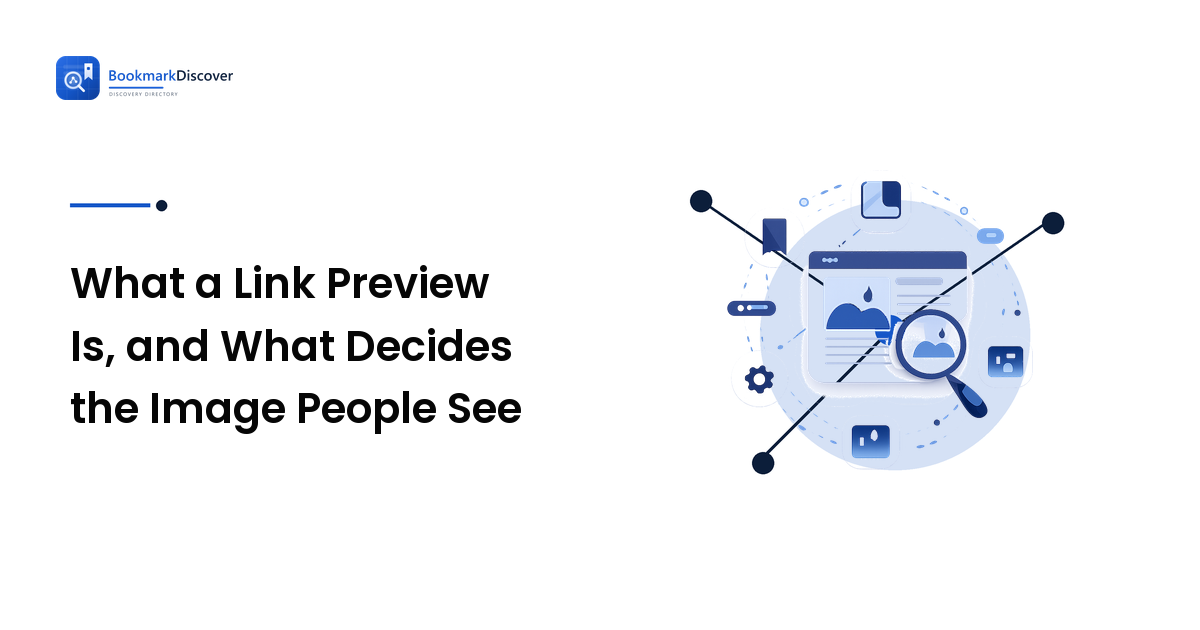
A link preview is the card — picture, headline, short blurb, site name — that appears when your URL is pasted into a chat, a post, a forum, or a bookmarking site. You are not sending that card. The platform on the other end builds it: it fetches your page, reads a few specific tags in the HTML, and renders the result in its own shape. The preview is controlled from your page, and only from your page.
That single fact explains almost every confusing thing about previews. You cannot edit a preview from inside the post you are writing, and you cannot fix it by re-sharing. If the wrong picture is showing, the wrong picture is what your page is currently telling everyone to show — or what one platform cached the last time it looked.
What actually happens when someone pastes your link
The sequence is much the same everywhere, and each step is a place things go wrong.
- The platform sees a URL in the text box and sends its own request for that page, usually before you press post. That request comes from its servers, not from your reader's browser.
- It downloads the HTML and stops early. Most fetchers only want the head of the document. They are not rendering your page, running your scripts, or waiting for images to load. They want tags.
- It reads a small set of meta tags and picks a title, a description, an image and a site name, falling back to other sources when a tag is missing.
- It stores the result. The card you see is served from that copy, often for a long time, and each platform keeps its own.
- It renders the card in its own layout — its own crop, its own truncation, its own choice of large image or small thumbnail.
Steps 2 and 4 cause most of the trouble. A page that assembles itself in the browser has nothing in its head for a fetcher that never runs scripts, and a card stored months ago does not care that you have since changed the page.
Which tags decide the picture and the words
The near-universal vocabulary is Open Graph — meta tags in the head of your page, each with a property starting og:. Four do the work:
og:title— the headline. It need not match your page title; a shorter one survives truncation better.og:description— the blurb underneath. One or two sentences; platforms cut it at different lengths.og:image— the picture. It has to be an absolute URL (the fullhttps://..., not/images/thing.jpg), fetchable by a stranger with no cookies and no login.og:url— the canonical address, which stops a dozen tracking-parameter variants being treated as a dozen pages.
Two more are worth setting: og:site_name, where the small brand line comes from, and og:type, usually just article or website. Some platforms read their own twitter:-prefixed equivalents first and fall back to Open Graph when those are absent, so one complete Open Graph set covers almost everything.
With no tags at all, the fetcher improvises: your page title element, your meta description, and whatever image came first in the markup — often a logo, an avatar, or a banner. That is where most "why is it showing that?" moments come from. Nothing is broken; nobody told it what to show, so it guessed.
Why your link preview shows the wrong image, or none at all
Work down this list in order. The first two account for most cases.
- The platform cached an older version. You fixed the tags, but the card was stored before you did. The most common cause by a distance, and it feels exactly like the fix not working.
- There is no
og:image, so something else got picked. Check what your page actually outputs, not what your publishing tool promises — themes and plugins each add their own tags, and two of them supplying different images produces an unpredictable winner. - The image URL is relative, or lives somewhere private. A path like
/img/hero.jpgmeans nothing to a server fetching from outside, and neither does an image behind a login or on a staging domain. - The page needs JavaScript to produce its head. If the tags are injected in the browser, a fetcher reading the raw HTML sees an empty head. Common on single-page apps and some site builders.
- Something is blocking the fetcher. Bot filtering, a firewall rule, a rate limit or a robots directive stops the request, and the platform falls back to a bare link.
- A redirect chain loses the tags. If the shared URL redirects — a short link, a marketing redirect — some fetchers read the tags at the destination and some do not.
- The image is the wrong shape for that platform's crop. Tags fine, picture fine, middle cut out of it. That one is a design problem, covered below.
How to change a preview after you have already shared the page
Fix the page first, then deal with the cache; neither step can be skipped. Update the tags at the source, and confirm the change by viewing the published page's raw source rather than trusting the settings screen.
Then make each platform look again. Because every platform caches separately, refreshing one does nothing for the others. Most large ones publish a preview-debugging or re-scrape tool in their own developer documentation; that is the reliable route, and the two or three that matter for where you actually share are worth keeping to hand.
Where no refresh tool exists, the options are patience or a changed URL, since an address the platform has never seen gets a fresh fetch. That also splits your links and your reporting, so treat it as a last resort — and get the tags right before the campaign rather than across five platforms afterwards.
What a link preview is not
- It is not your search snippet. The title and description a search engine shows come from its own evaluation of the page and are not the same field. Rewriting a preview description to rank better is effort spent in the wrong place — where sharing fits in an SEO plan covers what sharing does and does not move.
- It is not your favicon. The small site icon in a browser tab or a bookmark row is a separate file with separate rules; a perfect card and a blank favicon coexist happily.
- It is not structured data. Schema markup describes what a page is — a recipe, an event, a product — for search features. Open Graph describes how a link should look when shared. Different jobs, different consumers.
- It is not a screenshot. No platform photographs your page. If no image is specified, you get no image — not a picture of your site.
Designing an image that survives every crop
Every platform crops to its own shape and lays its own text over the result, so the image that works is the one that survives being cut several ways at once.
- Use a wide landscape image. It degrades into a square or a small thumbnail far better than a tall one does.
- Keep everything that matters near the centre. Edges get trimmed, and which edges depends on where the link lands.
- Set type large if you put type on it at all, because the card is usually seen small, on a phone, in a crowded feed — and in plain chat clients the picture never appears at all, leaving the title and description to do the whole job.
- Give each important page its own image. One site-wide graphic on every card teaches people that all your links look identical, which is the opposite of the point.
That is the visibility argument in miniature: how a link presents itself is part of whether it earns a click at all. Online visibility covers the distribution side, and measuring referral traffic from shared links covers reading the result honestly — including why preview fetchers themselves show up in analytics as phantom visitors.
FAQ
Do link previews affect SEO?
Not directly. The tags that build a preview are read by sharing platforms, not used as ranking factors, and search snippets are generated separately. The indirect effect is real: a card that gets clicked sends more people to the page, and links people click are the ones that go on to be saved and cited.
What size should a link preview image be?
Rather than chase one number, use a wide landscape image with the important content centred, then check how it looks small. Every platform crops to its own layout, so an image that only works at one exact ratio will be wrong somewhere. Platforms that care publish their current recommendations in their own documentation.
Why does my link preview work in one app but not another?
Because each platform runs its own fetcher, keeps its own cache, and applies its own rules — some follow redirects, some do not; some skip large image files; some read platform-specific tags before Open Graph. A card that works in one place and fails in another usually points at the image being slow or oversized.
My site builder adds these tags automatically. Do I still need to check?
Check once. Automatic tags are usually fine, but a theme and a plugin both adding their own is common, and duplicates leave the choice to the fetcher. Viewing the source of one published page tells you whether you have one clean set or three competing ones.
The preview still shows an old title after I edited the page. Is something broken?
Almost certainly not. You are looking at a cached card from the last time that platform fetched the page. Update the tags, then use that platform's refresh tool if it has one; otherwise the card corrects itself when the cache expires.
Next step
Take one page you share often, view its source, and find the four tags that build its card. If they are missing, wrong or duplicated, you have found the reason your links look like nobody is home. Fix them once, and every future share of that page — in a chat, in a post, in somebody's bookmark collection — advertises itself properly. More on making your pages easier to find and worth clicking at BookmarkDiscover.